Roomist Türkçe Get the app

Free first scan, no account needed

Redesign any room in minutes

Scan your room with an iPhone, get a floor plan with real dimensions, then render it as a photo. Walls, windows and furniture stay exactly where they are.

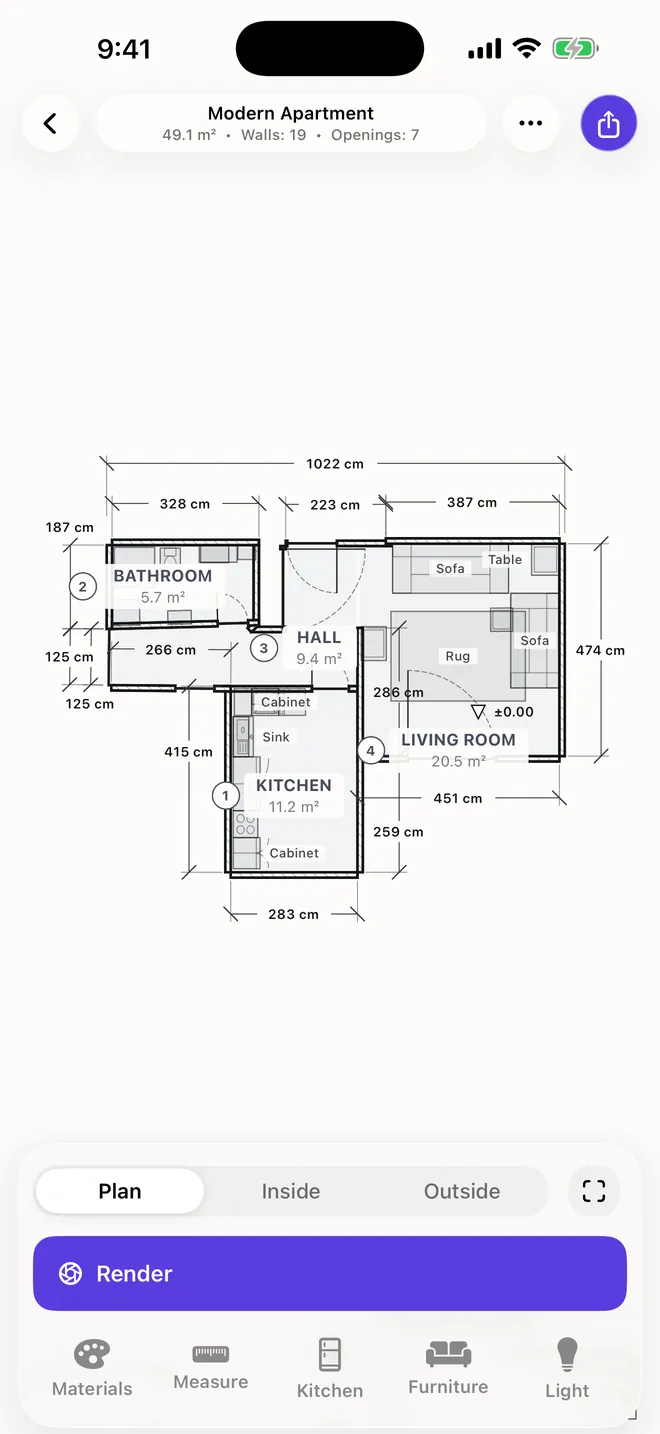
Measured floor plan of an apartment in Roomist.
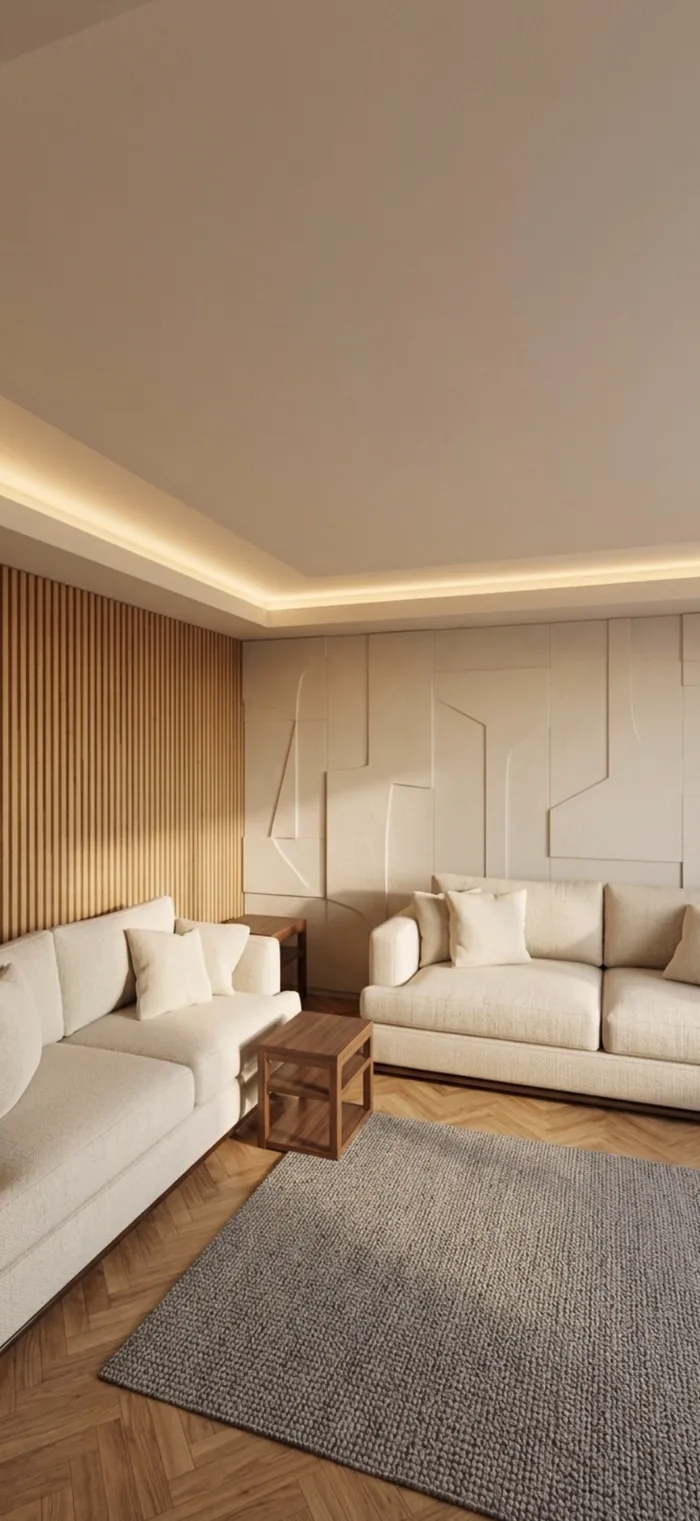
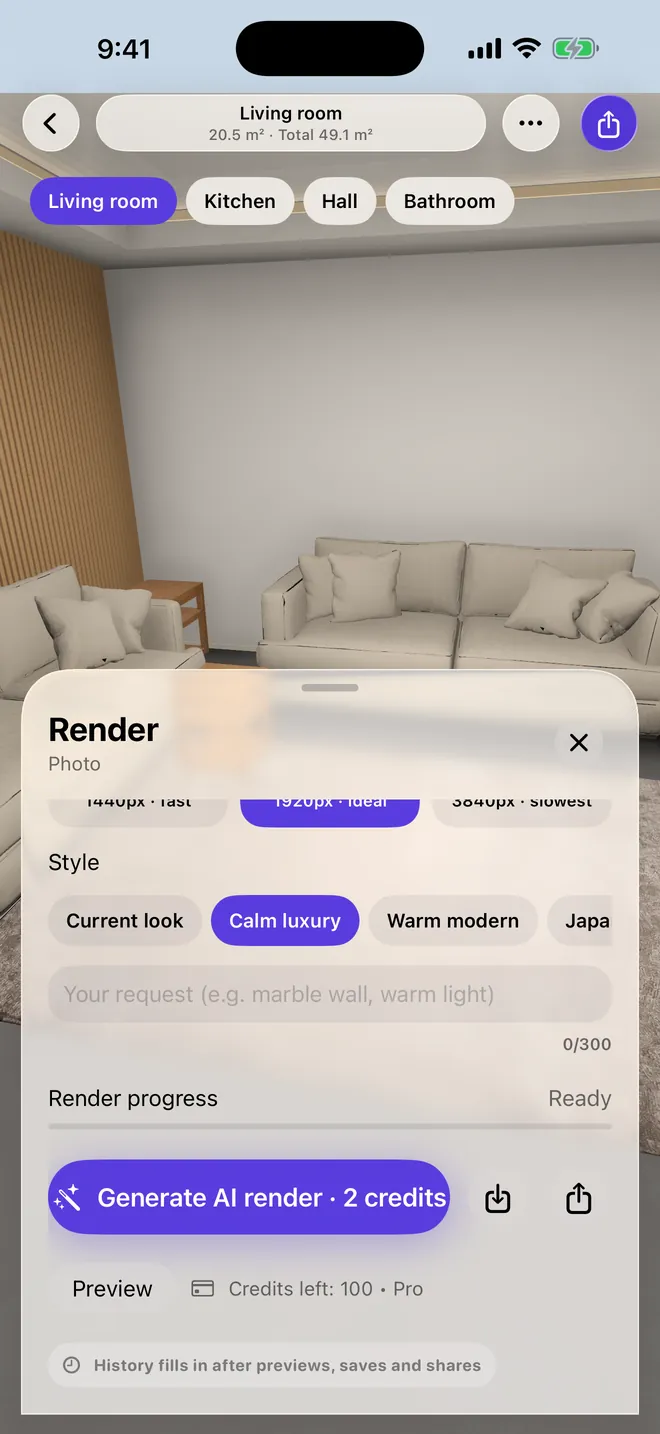
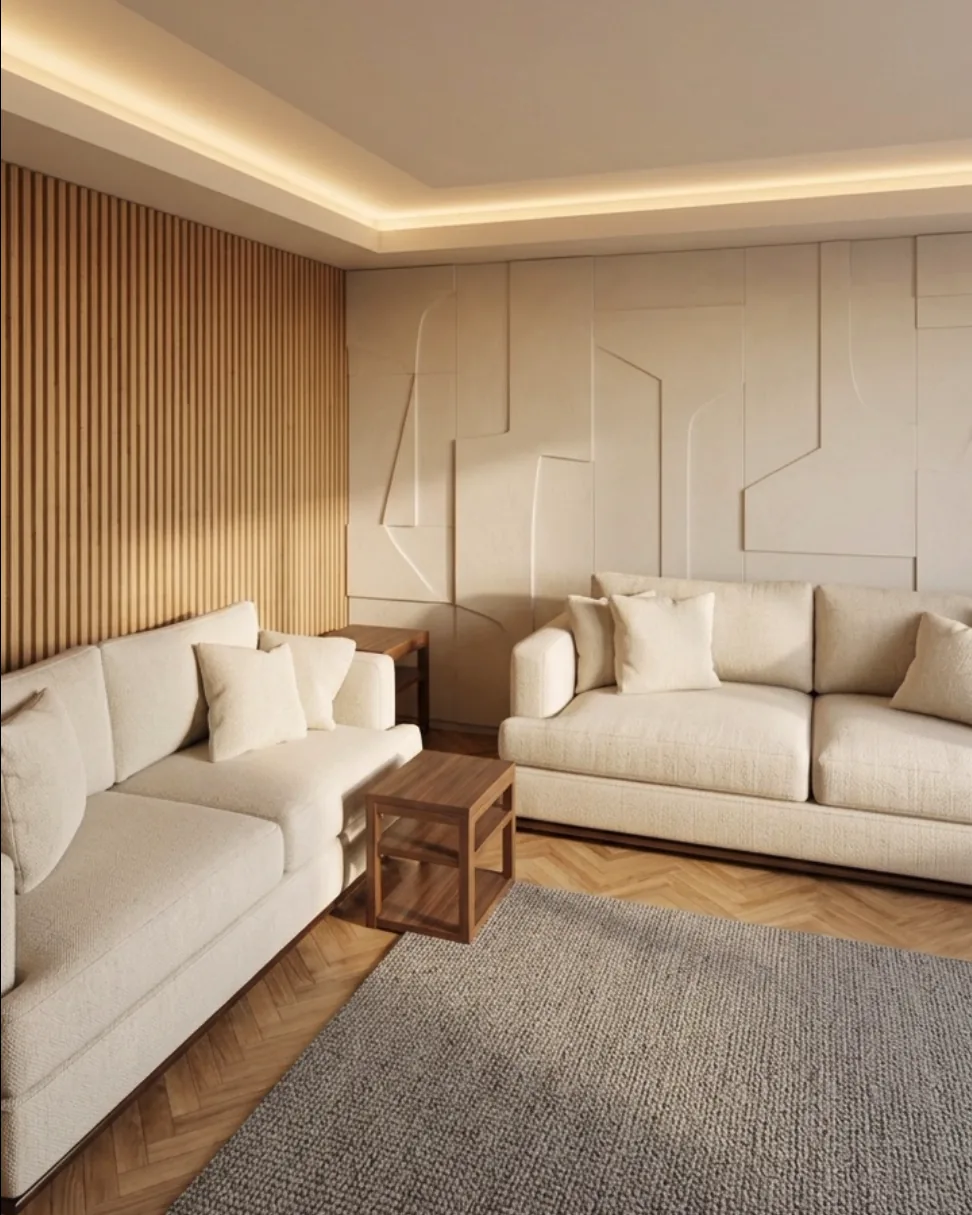
3D model of a living room built from a LiDAR scan, with two sofas, a side table and a rug. Photorealistic AI render of the same living room from the same camera.
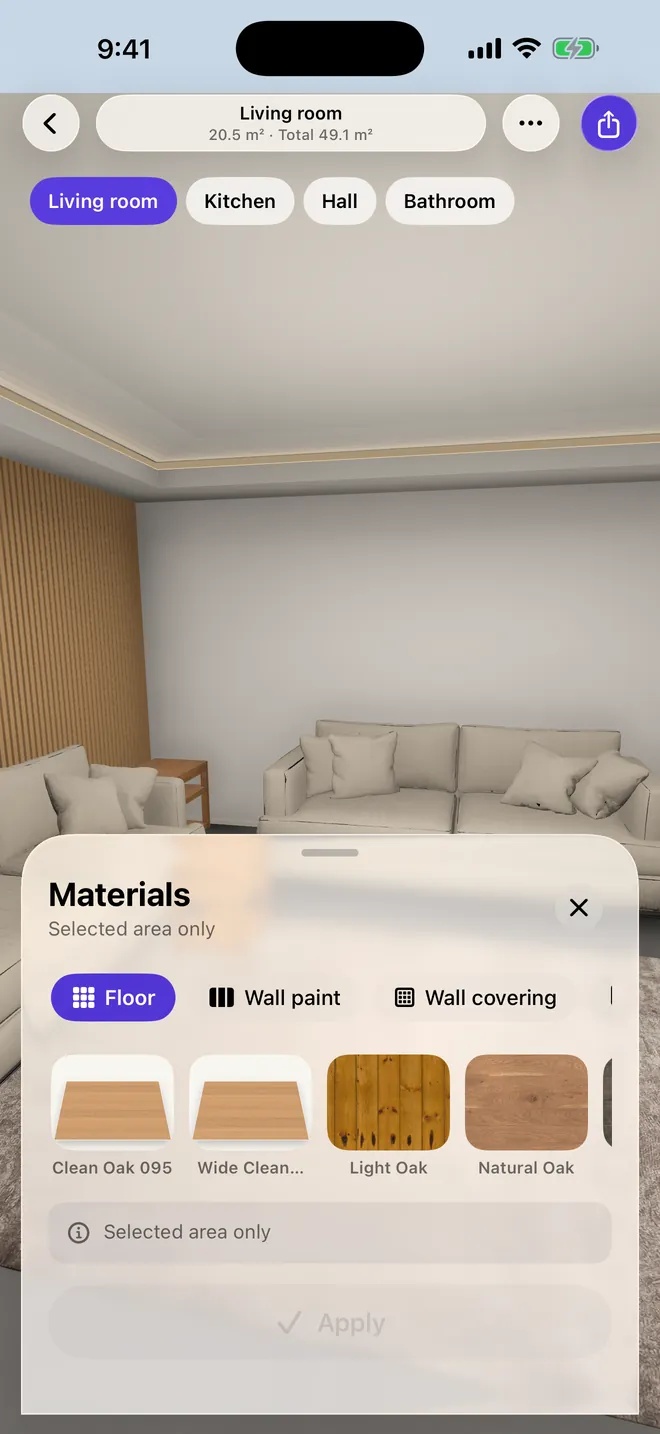
Materials panel in Roomist with wood floor options.

From scan to render in four steps

Everything starts from the room you measured, so every design fits the real space.

1Step 1

Walk the room once

Hold a LiDAR iPhone and walk along the walls. Roomist builds a scaled 3D room as you go.

  • Walls, doors and windows detected automatically
  • A live floor plan builds while you walk
  • No LiDAR? Aim at corners, walk, or type the lengths
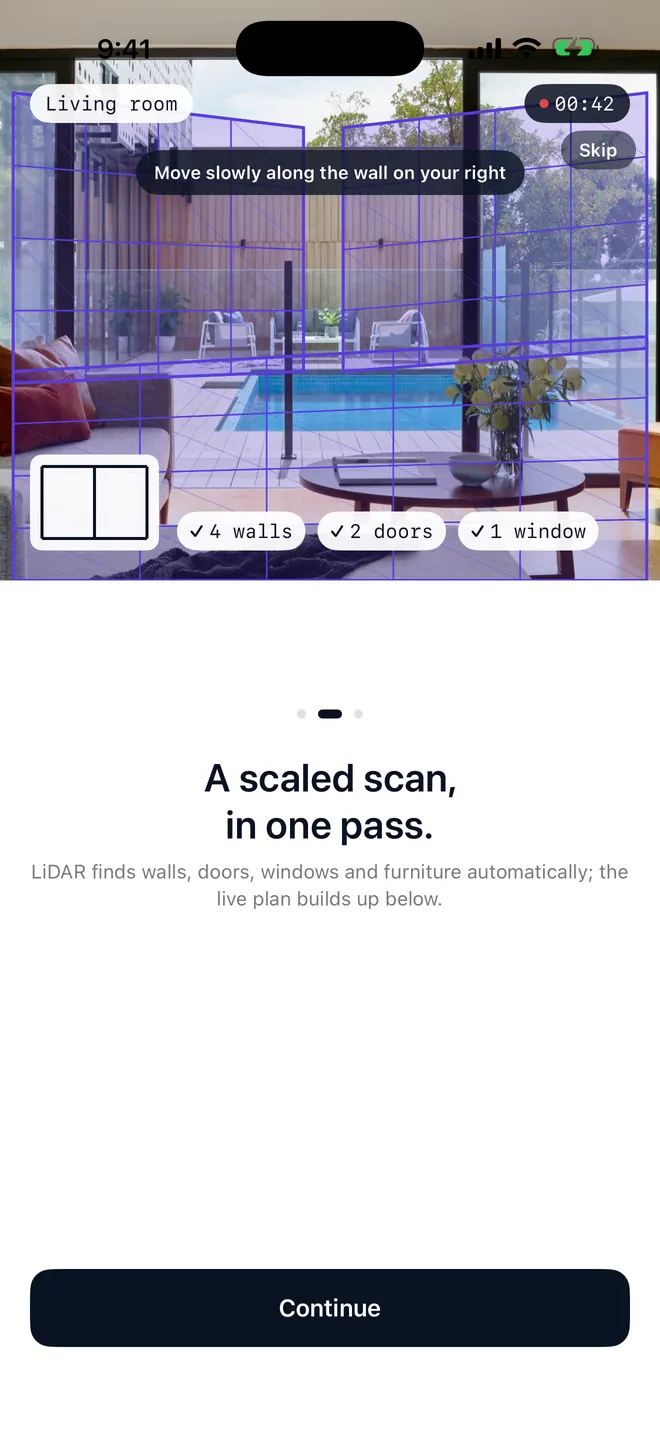
Scanning screen in Roomist with walls, doors and windows detected.

2Step 2

Get a measured floor plan

A clean plan sheet is drawn for you, with every wall length and room area in place.

  • Wall lengths, areas and room names
  • Doors, windows and furniture on the plan
  • Paper size and scale for printing
Floor plan of a four-room apartment with dimensions in Roomist.

3Step 3

Design on the real surfaces

Try finishes and furniture inside the room you scanned, from inside or outside.

  • Floors, wall paint, tiles and wall coverings
  • 120 furniture models to place and move
  • Kitchen builder, ceiling lights and time of day
Materials panel in Roomist showing wood floor options in a living room.

4Step 4

Render it as a photo

Frame a view and let AI turn it into a photorealistic image of your room.

  • Same camera, same layout, same furniture
  • Seven interior styles, or describe your own
  • HD, 2K or 4K output
Render panel in Roomist next to a finished AI render of a living room.

Your room, not a guess

Photo-based AI apps invent a room from one picture and quietly move the walls. Roomist renders the room you measured.

3D model of a living room built from a LiDAR scan, with two sofas, a side table and a rug.
3D model from the scan
Photorealistic AI render of the same living room from the same camera.
AI render, same camera
Measured first

Walls, doors, windows and ceiling height come from the scan.

Layout stays put

Furniture and openings keep their place. Materials and light change.

Ready to share

Save renders to Photos, or send them with the floor plan.

Everything a room project needs

One app from the first measurement to the image you show your client, your contractor or your family.

Measure without LiDAR

Aim at the corners, walk along the walls, or type the lengths from a tape measure.

Kitchen builder

Lay out a kitchen along the walls in a few taps, then try fronts and worktops.

Light and time of day

Set the lights and see the room in morning, afternoon or evening light.

Gardens and facades

Photograph a garden or a building and redesign it in one of five styles.

3D model export

Share the room as a USDZ model that opens on any iPhone, iPad or Mac.

No account needed

Open the app and start scanning. Nothing to sign up for.

Simple pricing

Start free. Subscribe for unlimited scans and monthly render credits, or buy credits when you need them.

First scan free1 AI credit includedNo account

Weekly

$5.99 / week

5 credits every week

  • Unlimited scans
  • Unused credits roll over up to a limit
  • Cancel anytime in Settings
Get Roomist Pro

Monthly

$12.99 / month

30 credits every month

  • Unlimited scans
  • Unused credits roll over up to a limit
  • Cancel anytime in Settings
Get Roomist Pro
Save 60%

Annual

$59.99 / year

330 credits every year

  • Unlimited scans
  • Unused credits roll over up to a limit
  • Cancel anytime in Settings
Get Roomist Pro

Credit packs

One-time purchase. Pack credits never expire.

  • 25 credits$4.99
  • 50 credits$8.99
  • 100 credits$16.99

An HD render uses 1 credit, 2K uses 2 and 4K uses 3. US prices; the App Store shows the price in your currency. Subscriptions renew automatically unless turned off at least 24 hours before the end of the period, and are managed in your Apple Account settings.

Questions

Can't find an answer? Write to us at berkaybosnak55@gmail.com

Do I need an iPhone with LiDAR?

No. LiDAR is on iPhone Pro models (12 Pro and later) and iPad Pro and gives the fastest scan. On any other iPhone you measure the room by hand in the app: aim at the corners, walk along the walls or type the lengths.

How accurate are the measurements?

LiDAR scans are measured, not estimated, so plans show real wall lengths and areas. Accuracy still depends on the room and the scan, so check key dimensions on site before ordering or building.

What happens to my photos and scans?

Scans and projects stay on your phone. A photo leaves the phone only when you ask for a render; it is deleted after processing and the result is kept for at most 24 hours so it can be delivered to you.

What is a credit?

Credits pay for AI images: an HD render costs 1 credit, 2K costs 2 and 4K costs 3. Scanning, planning and designing in 3D don't use credits.

Can I use the plans for construction?

Plans and renders support design work. They are not an official architectural project or permit document.

How do I cancel my subscription?

Open Settings on your iPhone, tap your name, then Subscriptions, then Roomist. You keep Pro until the paid period ends.

How do I restore a purchase on a new phone?

Tap Restore Purchases on the Profile screen or the subscription screen, signed in with the same Apple Account.

Scan your first room today

Free to start. No account needed.

Download on theApp Store